
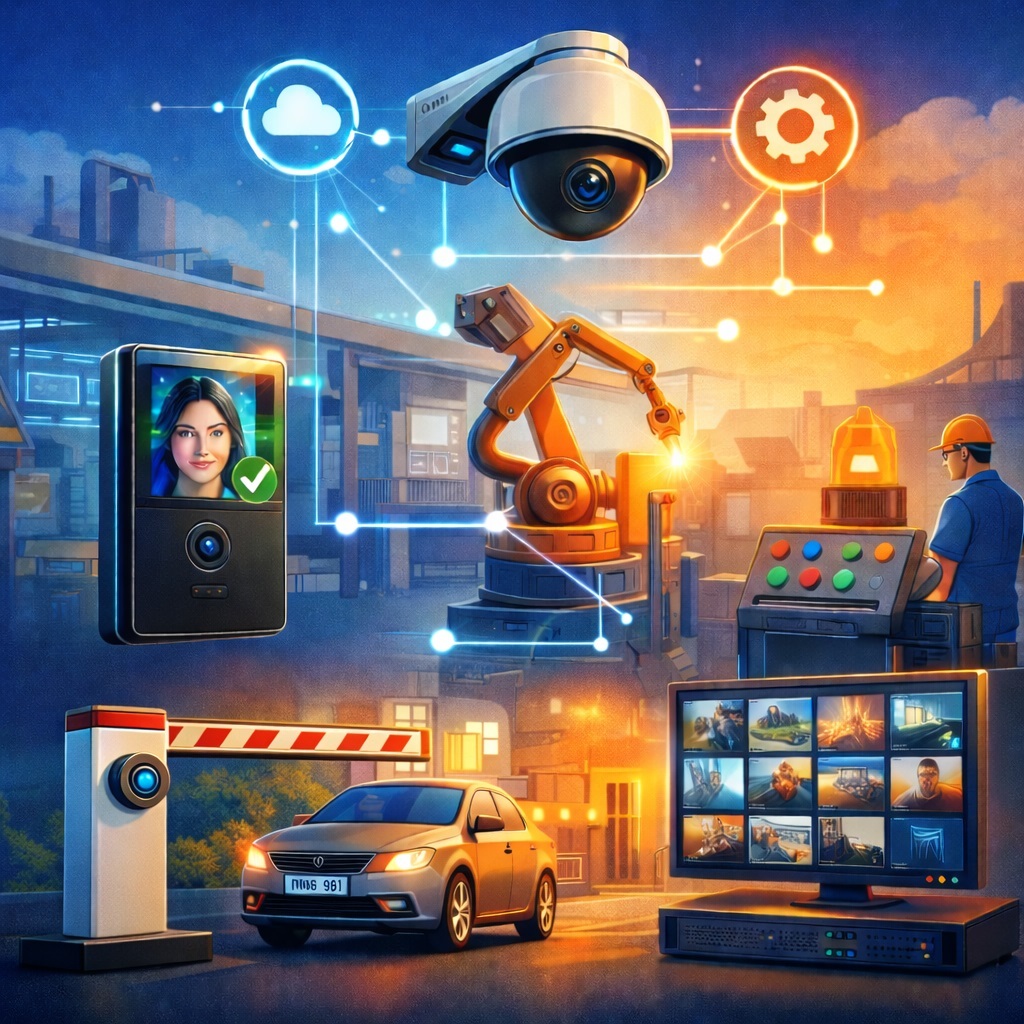
Not so long ago, a surveillance camera was basically a device with the personality of a retired night watchman. It sat silently on the wall, stared at one fixed point, recorded something to a disk, and only joined the conversation after an incident, when someone inevitably asked, “Did we at least get it in the archive?” That was usually the extent of its social role. The camera did not open doors, call security, switch on the lights, message the manager, start a loading timer, or warn a worker that their hard hat was somehow still sitting in the locker. It just watched.
Now the picture has changed. A modern AI-powered video surveillance system no longer wants to be a passive witness. For example, a system like SmartVision can recognize faces, license plates, people, animals, smoke, fire, abandoned objects, queues, hard hats, safety vests, falls, screams, breaking glass, and a whole collection of other things that tend to make an ordinary security guard either tired or deeply disappointed in humanity. But the real revolution did not happen when the neural network learned to spot a person in the frame. The real revolution happened when that detection began to trigger specific actions.
Now the camera does not just see a person at the door. It can check who they are, whether they are allowed in, whether they are showing up suspiciously late, whether the turnstile should open, whether an attendance log entry should be made, whether the operator should see the person’s name, and, while it is at it, whether it should turn on the light in the right zone and disarm that part of the facility. This is no longer just video recording. This is facility automation. It is the digital nervous system of a building, warehouse, store, factory, parking lot, school, house, clinic, or business center.
That is exactly why the conversation about modern video surveillance stopped being just a conversation about cameras a long time ago. Today it is a conversation about scenarios, rules, events, integrations, configuration interfaces, external systems, relays, turnstiles, intercoms, alarm notifications, warehouses, service tickets, and that very specific engineering discipline that separates useful automation from chaos, where everything flashes, beeps, and occasionally opens the wrong door.
Below, we will look at the most in-demand AI video surveillance scenarios, why software interface integration matters here, why nothing good happens without rule logic, and how to assemble a system from a set of smart detections that does not just see, but actually helps manage a facility.
The Camera Saw a Face and Opened the Door Right Away: Why Face Recognition Has Become the New Remote Control
Face recognition remains one of the most discussed functions in intelligent video surveillance. There is a simple reason for that. A face is one of the most natural identifiers a person has in everyday life. No need to tap a card, remember a code, look for a key fob, or explain to the intercom that you have lived here for eight years and even painted this entrance hall back in your youth.
The most obvious scenario involves employees. A camera at the entrance detects a person, the system recognizes the face, checks it against the database, verifies the access zone, schedule, shift, and day of the week, and then makes a decision. If everything matches, the system can open the door or turnstile, record the arrival in the log, display the person’s name on the operator screen, disarm the authorized zone, and launch a personal scenario. That last part can mean almost anything: switching on lights at the workstation, activating the air conditioning, preparing a terminal, opening an internal door, or starting the appropriate smart-building mode. It sounds almost like science fiction from old magazines about the future, except now it is no longer the future. It is a perfectly normal project for an office, warehouse, or industrial site.
But face recognition becomes especially interesting where entry should not be the same for everyone. Imagine the system identifies a VIP client. That is not only a reason to grant access to a specific zone, but also to show the client card to a manager, register the visit in the customer relationship management system, launch a welcome scenario on the terminal or panel. In that case, the camera stops being just a control tool and becomes part of the service experience. It helps staff respond faster and more accurately and, most importantly, avoids that awkward moment when a regular customer is asked for their name yet again.
There is another side to this as well. The camera recognizes a person from the blacklist. Here the system should behave very differently. Do not open the door. Raise an alarm. Send a notification to security. Show an alarm window to the operator. Save the best frames separately. Increase recording priority. If there is a PTZ camera available, switch it to target tracking. In more complex setups, the system can even lock nearby doors or trigger a local access restriction scenario. At that point, video surveillance is no longer functioning as an archive. It is an active participant in site protection.
The scenario with an unknown person is no less useful. This is a very real-life story. The person is not on the whitelist, but that does not automatically mean danger. It may be a courier, contractor, guest, new employee not yet added to the database, or simply someone standing at a bad angle while the system decides to show a bit of attitude. In such cases, it is better not to overreact, but to switch to semi-automatic mode: request operator confirmation, send the photo to security, enable two-way audio, save the event in a separate “Unknown Persons” folder, and only grant access after manual approval. That kind of logic does not turn the site into a museum of paranoia, while still keeping the situation under control.
A separate scenario is when the face is recognized, but the timing is wrong. An employee arrives in a restricted area at night. A contractor appears near the server room on a weekend. A guest enters an area they could access during the day, but not at night. Here the system must not rely on identity alone. It has to take schedules, calendars, shifts, holidays, roles, access zones, and site status into account. In real life, that is the difference between intelligent automation and a flashy demo shown at an exhibition.
Whitelist for the Vehicle, Green Light for the Barrier: How License Plate Recognition Is Changing Entry Gates, Parking, and Logistics
If a face usually answers the question “who has arrived,” a license plate helps answer “what exactly has arrived, and should it be allowed in.” For warehouses, parking lots, residential complexes, business centers, checkpoints, and industrial sites, license plate recognition has long become one of the most practical scenarios.
The basic logic is simple and effective. The camera captures the vehicle, the system recognizes the plate number, compares it with the whitelist, and makes a decision. It can open the gate, raise the barrier, switch on a green signal, record the entry or exit in the log, and calculate how long the vehicle stays on the premises. In parking facilities, this provides automatic access without involving security staff. In warehouses, it helps organize supplier and vehicle entry. In residential complexes, it ends the endless game of “please call security, I live here.”
But this scenario becomes especially interesting when it is tied to logistics processes. Imagine a supplier’s truck arriving. The system recognizes the plate, checks it against the approved list, opens the gate, notifies the warehouse, turns on the loading dock lights, and starts the unloading timer. After that, it can track parking duration, send data into the warehouse management system, and even evaluate the actual service time for vehicles. At that point, the camera starts contributing not only to security, but also to operational efficiency.
There are alarm scenarios too. The plate number is on the blacklist. In that case, the barrier does not open, security receives a notification, recording starts from several cameras, front and rear view images are saved, and the information can be sent to the security system or control desk. If there is a site map or situation plan, the system can immediately show where the vehicle is located.
What if the plate is not recognized, is hidden, blurred, dirty, or read with low confidence? That also requires logic, not emotion. The system can request manual verification, switch on extra illumination, put the camera into burst mode, send a frame to the operator for review, or allow access only after a call through the intercom. Good automation always knows how to deal not only with ideal conditions, but also with real weather, real dirt, and the very real creativity of drivers.
Another interesting scenario is a duplicate plate. If the system detects that a vehicle with the same number is already on the premises and another copy appears at the entrance, that is worth attention. It may be a mistake, or it may be a reason for inspection. In this case, it is useful to compare the vehicle’s color, type, direction of travel, and previous entry time, and, if necessary, block repeated access until manual confirmation. Here artificial intelligence helps not only by letting things in, but also by being suspicious at the right moment, which is generally a very useful trait in security.
Smoke, Fire, Sparks, and Overheating: Scenarios Where the Camera Can Save More Than Just the Archive
Fire-related scenarios and pre-failure conditions are one of those areas where AI-powered video surveillance enters the territory of real practical value. Not the kind that looks good in a presentation, but the kind that saves seconds, property, nerves, and sometimes much more.
When the system detects fire, it should not be limited to recording a clip for later investigation. Ideally, it can switch off sockets, disconnect a power line through a relay, activate a siren, trigger voice alerts, unlock evacuation doors, open emergency exits, turn on emergency lighting, activate fire suppression, switch ventilation into the appropriate mode, and send an alarm to responsible personnel. If integrations allow it, frames can be sent to an external response system or a security desk. And if the site has monitors or information panels, the system can display the evacuation plan right where people will actually see it.
With smoke, the logic may be a little more cautious. Smoke detection is often used as an early warning. The system can raise recording priority, send a photo and a short video clip, display the event to all operators, activate an exhaust system, or, on the contrary, switch general ventilation into the required mode according to a predefined scenario. It all depends on the facility, engineering layout, and internal procedures. This is where it becomes especially useful when video surveillance does not argue with other systems, but works as part of a common loop.
Equipment overheating, sparks, and local visual signs of failure are also increasingly coming into the field of intelligent video surveillance. In electrical rooms, server rooms, production facilities, and technical areas, this can be just as valuable as detecting open fire. The system sees dangerous overheating, notifies an engineer, disconnects a specific line or rack, activates backup cooling, opens ventilation louvers, and creates a service desk ticket. This is where the engineering chain becomes especially elegant. The camera detects a visual symptom. The rule engine understands the context. The software interface sends a command or creates a task. The technical team receives not an abstract alarm, but a specific incident linked to a time, a zone, and a video fragment.
That is one of the main shifts of recent years. Video surveillance is increasingly becoming not the last witness to a disaster, but one of the first tools used to respond to it.
Night Movement Near the Fence, a Person in a Restricted Zone, and a Queue at the Register: Why Motion No Longer Means False Alarm
Motion detection used to be both the most popular and the most annoying function in video surveillance. The camera would notice a moving branch, the shadow of a cloud, snow, rain, dust, an insect near the lens, and joyfully conclude that something dramatic had occurred. That is exactly why many people spent years treating motion as a noisy but unavoidable part of the system. However, with artificial intelligence, this detection has received a second life.
Now motion is useful when treated as a primary trigger. The camera notices activity. After that, more accurate analysis can be activated: is there a person in the frame, what zone are they in, how long have they been standing there, where are they moving, is the event confirmed across several frames, by a neighboring camera, or by an additional audio signal. As a result, simple motion stops being a source of endless anxiety and becomes an economical way to catch potentially interesting events quickly.
For example, motion in a protected zone at night can trigger event recording, an instant notification, a spotlight, PTZ preset switching, a siren, a voice message saying “This area is under protection,” and activation of neighboring cameras. But if the system also checks for the presence of a person and verifies the schedule, the number of false alarms drops significantly.
When the system detects specifically a person, the scenarios become much richer. A person in a dangerous production area can trigger a warning, a voice message, equipment shutdown via relay, a notification to the shift supervisor, and incident logging for occupational safety. A person blocking an evacuation route can mean a passage is obstructed, so the system should report that to the security post and activate a voice warning. A person near the perimeter can trigger a spotlight, automatic PTZ tracking, and a mobile patrol notification.
A separate line of scenarios is linked to crowding. In retail, these are queues at cash registers. In offices, it is congestion in passage zones. On campuses, it is groups of students or visitors. In institutions, it is monitoring traffic density. If a queue exceeds the configured threshold, the system can notify the administrator, recommend opening an additional checkout or door, display workload statistics, and send a message to the manager. Here video surveillance is already working for service quality, response speed, and space management.
Scenarios involving a person falling or remaining motionless for a long time are also highly interesting. They are useful in clinics, nursing homes, hotels, warehouses, workshops, parking lots, and social care facilities. The system can do more than just raise an alarm. It can send it with the highest priority, save video before and after the event, open an audio channel, and notify medical personnel, security, or relatives. This turns the camera into something greater than just an eye on the wall. It becomes part of care and safety.
Blacklist, VIP Client, Unknown Visitor: How the Same Camera Behaves Differently Depending on Context
One of the strongest features of modern intelligent video surveillance is its ability to behave differently depending on exactly what has been detected. It does not simply react to the appearance of an object. It takes into account its type, status, zone, time, direction of movement, and even the history of previous events.
Imagine three people standing at the same door. The first is an employee, the second is a client from a special category, and the third is a person from the blacklist. Formally, the camera sees faces in all three cases. But the system’s reaction should be completely different.
For the employee, it may mean seamless access. The door opens. The event is logged. The operator sees the name. The site in the authorized zone is disarmed. A personal office scenario may even start. For the client, it may mean a notification to the manager, displaying the client card, launching welcome content, and granting access to a VIP zone. For the person from the blacklist, the door stays closed, an alarm is raised, the best frames are saved separately, and the neighboring PTZ camera starts tracking.
Now add a fourth situation. An unfamiliar person at night near the gate of a residential building. In that case, a hard automatic denial is not always the best option. It is often much more useful to switch on a spotlight, send a photo to the owner, open an audio channel, record the incident, and request confirmation before unlocking the outer door. This is exactly where rule engines show how flexible they can be.
In the old approach, such scenarios had to be organized through a bundle of independent systems. Access control handled access. The security system handled alarms. The intercom had a life of its own. Cameras stored the archive. The manager received information, at best, via a phone call. Today, all this can be linked into a single process where one event launches a chain of checks and actions.
A Dog on the Property, a Wild Animal Near the Warehouse, and a Motorcycle in a Pedestrian Zone: How Artificial Intelligence Learns Not to Panic Over Nothing
Sometimes the most useful function of artificial intelligence in video surveillance is not its ability to raise an alarm in time, but its ability not to raise one for no reason. This is especially obvious in scenarios involving animals, transport, and other objects that used to wreck the statistics of ordinary motion detectors.
A dog on protected territory is a good example. In a classic system, motion near the fence at night might trigger the whole package of sirens, floodlights, and calls to security. In real life, it often turned out to be a dog that simply developed a strong interest in the site’s geography. Modern analytics can identify that it is an animal rather than a person, avoid raising a high-level alarm, avoid activating the siren, and send a notification with the correct category. In other words, the system stays calm and the neighborhood keeps sleeping.
On farms, warehouses, perimeters, and logistics bases, animals can be a more serious factor. There it may be useful to switch on lights, activate a deterrent, notify the security team, and sometimes automatically close the gates. If an animal enters a hazardous production zone, the system can stop a mechanism and save the incident. Here artificial intelligence helps not only people, but also machinery, which is not always very good at figuring out what exactly has wandered into its path.
Transport scenarios also become more nuanced. A car in a restricted zone can trigger a notification, violation recording, display of make, color, and license plate, and transmission of the data to a parking control system. A truck at the unloading area can open the gate, switch on the lights, notify the warehouse, and start the logistics timer. A car parked too long can generate an incident card. A motorcycle or bicycle in a pedestrian zone can trigger a voice warning and notify security. All this may sound like a collection of special cases, but that is exactly what most real-world operations are made of.
It is also worth mentioning scenarios with abandoned and missing objects. In public spaces, stores, transport hubs, institutions, and offices, this is very useful analytics. An abandoned object can trigger an alarm, activate recording on nearby cameras, restrict access to the area, show a message to the operator, and start an escalation timer if the object is not removed. A missing object can be marked as a possible theft, while the system can locate the last known moment the object was present and export the relevant video clip.
A Scream, a Gunshot, a Crying Child, and Breaking Glass: Why a Smart System Needs Ears, Not Just Eyes
Video surveillance was long seen as a strictly visual technology. But once microphones and audio analysis algorithms are added to the loop, the system starts understanding its environment much more deeply. And sometimes sound becomes a faster and more useful trigger than the image itself.
The sound of breaking glass is a classic example. The camera may not yet show the intruder in close-up, but audio analytics has already registered the event, raised an alarm, turned the PTZ camera in the right direction, switched on a spotlight, and started recording on neighboring cameras. As a result, the system reacts not after everyone has already entered the frame, but in the first seconds of the incident.
A scream, the noise of a fight, and aggressive scene acoustics are also excellent sources for highly useful scenarios. The system can alert the operator, activate two-way audio, dispatch security, and save the fragment with high priority. If the audio signal is confirmed by visual analytics, for example by the presence of people and sudden movements, scenario accuracy becomes even higher.
A gunshot is already a maximum-priority event. Here the logic must be immediate and without philosophical detours. Instant notification to responsible staff. Recording from all cameras in the sector. Access restrictions according to lockdown policy, if such a mode exists. Illumination of the possible escape route. Transmission of information to the monitoring center. These scenarios are not configured for decoration. They are configured because in a real incident there may simply be no time for manual response.
There are softer, but no less useful, scenarios as well. A crying child in a childcare facility, store, medical center, or smart home can send a notification to staff or the owner, display the camera to the operator, and open the audio channel. A barking dog can be marked as an event, and repeated barking can notify the owner or operator. A siren or equipment warning signal can automatically create a service ticket and launch diagnostics of the linked device.
In such systems, sound is not decoration. It is an additional layer of context. It helps combine visual and acoustic signals into more accurate and more useful scenarios.
The Hard Hat Is Missing, the Safety Vest Has Vanished, the Worker Picked Up a Phone: Why Occupational Safety Has Become One of the Main Territories for Video Analytics
If there is one area where intelligent video surveillance shows practical value especially quickly, it is industrial safety. Because here the point is not to create impressive demonstrations, but to prevent injuries, violations, downtime, and investigations, all of which are always expensive.
A person without a hard hat in a hazardous area. A person without a safety vest. Missing personal protective equipment. Smoking where it should not happen. Using a phone near dangerous machinery. All of this can be detected automatically and immediately linked to actions.
For example, the system detects the absence of a hard hat. It sends a warning, shows the event to the shift supervisor, does not open access to the hazardous zone, and activates a voice message saying, “Put on your hard hat.” Missing a safety vest can block entry, save a photo of the violation, and contribute to statistics by shifts or contractors. A person without a mask or other protective gear can receive a warning, and the door to the area will only open once the issue is corrected.
Smoking in a restricted area is a separate category. Here the system can activate a voice warning, send an alarm, and save the fragment into the violations log. Phone use in a hazardous zone can notify the responsible person and trigger a local warning. In production environments, this logic does not look excessive. It looks like normal engineering prevention.
What is especially useful is that such scenarios generate not only one-time alarms, but also statistics. It becomes possible to see where violations occur more often, at what hours, in which shifts, with which contractors, and in which areas. And that is where video surveillance starts helping not only the duty operator, but also the production manager, the occupational safety service, the security department, and even the training department.
Retail, Warehouses, Homes, Clinics, and Schools: Where Smart Cameras Are Really Changing Everyday Work
One of the most interesting things about modern video surveillance is that it has become useful far beyond traditional security. Almost every industry has found its own scenarios in it.
In retail, the camera can count visitors, analyze queues, detect empty shelves, identify interest in expensive goods, and help with merchandising and staff workload. If a queue becomes longer than the threshold, the system notifies the administrator, suggests opening an additional checkout, and shows statistics. If a customer lingers near a showcase with high-value products, a consultant receives a signal. If a shelf is empty, staff get a replenishment task, ideally with a photo attached.
In warehouses and manufacturing, the system can detect a forklift in a restricted zone, a falling pallet, improperly parked equipment, or an overloaded storage area. These events can be sent to the warehouse management system, turned into investigation cards, sent to the shift supervisor, used to activate warning beacons, and used to alert pedestrians in adjacent zones.
In homes and offices, the scenarios become softer but no less interesting. A familiar face at the door can open the intercom, the gate, switch on the hallway lights, and send the owner a notification saying “one of your own has arrived.” An unknown person at the door can trigger a call in the app, show the video feed, activate two-way audio, and record the visit. A courier with a package can trigger a delivery acceptance scenario. A child returning home can automatically disable the alarm and send a notification to the parents. An elderly person not appearing in the frame for too long can trigger a gentle alert to relatives.
In healthcare and social institutions, patient-related scenarios become especially important. A patient has left the room. A patient has fallen. A patient has entered a restricted area. A person has remained motionless for too long. All this can be delivered to medical staff with video and with high priority. In that case, the camera is not helping to control for the sake of control. It is helping staff respond faster to a real problem.
In schools, kindergartens, and campuses, useful scenarios include entry control, recognition of parents from the approved list, notification about a stranger at the entrance, and detection of fights or dangerous running in hallways. This is where it becomes especially clear how video surveillance turns from a post-fact investigation tool into a means of real-time coordination.
This Is Where the Real Magic Begins: Why Without a Software Interface All of This Will Remain Just Pretty Detections
No matter how smart the analytics is, it will not deliver full value if the detected event has no way to step out into the outside world. The camera saw it. The neural network understood it. The interface displayed it. And that is it. That is where many projects end, despite looking brilliant on paper.
The real value appears where the system has integration through a software interface. That is exactly what allows video surveillance to connect with doors, turnstiles, intercoms, barriers, relays, PTZ cameras, building management systems, CRM, ERP, WMS, help desks, mobile apps, messengers, cloud services, and databases.
The most common mechanism is web requests and webhooks. An event occurs, the system sends a structured message to an external address. From there, another system can open a door, create a ticket, record a visit in a database, launch a scenario elsewhere, send a notification, or change the state of a relay. The simplicity of this approach makes it almost universal. Most importantly, it does not require turning the video system into a monolith that knows everything about everything.
Industrial and engineering sites often need other protocols too. MQTT works well for exchanging events with Internet of Things devices and services. Modbus remains a familiar language for controllers, relays, ventilation, power systems, and industrial processes. Writing directly to a database is useful where reporting, analytics, and links to internal applications are required. Help desk integration is especially useful for technical incidents, where an alarm should become not just a popup, but a ticket with an owner, status, and response deadline.
It Did Not Trigger Just Because It Saw Something: How Rule Logic Saves the System from Chaos, Sirens, and Endless False Alarms
One of the most common mistakes in deploying intelligent video surveillance sounds very simple: “If something is detected, the system should immediately do something.” On a diagram, this looks great. In real life, the facility quickly begins to live in a state of permanent irritation.
A person detected, turn on the siren. Motion detected, switch on the spotlight. Smoke detected, turn off everything in sight. A vehicle detected, open the gate. This approach does not last long, because the real world is much more complicated than a lab video from a presentation.
That is why a good scenario system always relies on context. Trigger only at night. Only outside business hours. Only in a specific zone. Only if the object has remained in frame longer than a threshold. Only if the event is confirmed by two frames or two cameras. Only if sound, motion, and a person are present at the same time. Do not trigger for employees. Ignore bad weather. Raise the alarm level on repeated detections. Launch different actions for the first, second, and third trigger. Require operator confirmation for critical commands. Take into account shifts, holidays, schedules, movement direction, speed, and object size.
This kind of logic makes the system not just smart, but useful. It helps separate events from noise, danger from background activity, and violations from routine behavior. Without it, even a very modern platform quickly starts producing more alarms than value.
Escalation is also worth mentioning separately. Some events should not immediately cause the maximum response. An abandoned object may first just be marked and shown to the operator. If it is not removed after a certain period, the incident level rises. An unknown person at the entrance during the day may simply trigger a call to the owner. The same person at night near a closed perimeter may already trigger a spotlight and a security notification. And it is exactly this kind of layered logic that makes automation alive and flexible.
The Secret of Good Architecture: How to Build a System That Will Not Collapse After the Tenth Scenario
Once the number of scenarios grows, everything starts breaking very quickly without clear architecture. That is why it is useful to look at the system not as a collection of cameras and detectors, but as several logical layers.
At the bottom are the cameras, microphones, PTZ devices, actuators, relays, and controllers. Above them is the stream reception, recording, and buffering layer. Then comes the analytics layer, where face recognition, license plate recognition, people detection, motion analysis, smoke detection, hard hat detection, behavior analysis, and sound analysis take place. After that comes the event layer, where all results are brought into a common format. Above that sits the rules and scenario engine. Only after that comes the integration layer, which connects everything to external systems.
This structure allows responsibilities to be separated. Analytics answers the question of what happened. The event layer provides a unified data model. The scenario engine decides what should be done in response. The integration layer knows how to send the command outward. Thanks to that, components can be changed relatively independently. A model can be retrained or a detector replaced without rewriting integrations. A new ticketing service can be added without breaking analytics. Scenario templates can be expanded without touching the cameras.
For large facilities, message queues or an event bus are especially useful. Then alarms are not lost, processing becomes more resilient, and different external systems receive their own messages without tight coupling. For smaller systems, direct calls through web interfaces are enough, but the principle of separating layers remains useful at any scale.
Another underestimated element is buffering before and after an event. In many incidents, not only the moment of detection matters, but also the context. What happened ten seconds before the person fell. Where the intruder came from. How the vehicle approached before the license plate failed to be recognized. The ability to save a fragment from before and after the event should be considered a basic part of any proper system.
Why the Configuration Interface Decides Almost Everything: The Place Where Engineering Meets Human Nerves
It is possible to build a fantastic analytics system. It is possible to configure integrations with fifty external services. It is possible to assemble a scenario library for every situation imaginable. But if the configuration interface for all this is inconvenient, the project quickly turns into a test of character.
A good interface should let the user build a rule out of understandable blocks. Event. Additional conditions. Schedule. Zone. Restrictions. Actions. Priority. Operator confirmation. Escalation. Execution log. Everything should be transparent. The administrator should not have to remember internal codes or guess why in one case the command goes to the relay, while in another it quietly disappears into the digital fog.
Ready-made templates are extremely useful. “Employee at the entrance.” “Unknown person at the door at night.” “Supplier vehicle at the gate.” “Smoke in the server room.” “Person without a hard hat.” “Queue in the store.” “Patient has fallen.” Most sites do not need a constructor built from pure outer space. They need a clear set of templates that can be adapted quickly.
It is precisely in the configuration interface that it usually becomes clear whether the system will be comfortable to use for years, or whether it will remain a toy shown to the customer only on presentation day.
These Scenarios Are Already Changing Facilities Right Now: Ready-Made Chains That Work Best
To avoid staying in theory, it is useful to look at several especially effective chains that work well in practice.
An employee’s face at the entrance. The camera recognizes the face, the system checks the schedule, opens the door, disables the alarm in the vestibule, and records the passage in the log. Everything happens quickly, with no card, no calls, and no manual intervention.
A supplier vehicle’s plate number. The camera recognizes the plate, the system checks it against the whitelist, opens the gate, notifies the warehouse, and starts the unloading timer. If the vehicle remains longer than allowed, a separate event is created.
Fire in a kitchen or technical room. The system detects the fire, turns off sockets, activates the siren, sends an alarm, saves the video, and turns on emergency lights. If there is integration, a parallel command is sent to engineering systems.
An unknown person at the gate at night. Analytics detects the person, checks the face, finds no match, turns on a spotlight, sends a photo to the owner, opens an audio channel, and starts incident recording. After that, access is only possible following confirmation.
A fight in the parking lot. The system sees people, signs of aggressive behavior, and hears shouting. An alarm is raised, the operator sees neighboring cameras, security receives a notification, and a high-priority fragment is saved.
A person without a hard hat. The camera detects the person, analytics sees the missing hard hat, a voice warning is activated, the shift supervisor receives a notification, and the violation is recorded in the log. If the scenario is configured that way, access to the hazardous area is not granted until the problem is corrected.
All these chains are valuable because they do not stop at detection. They go all the way to a specific action and a recorded result.