
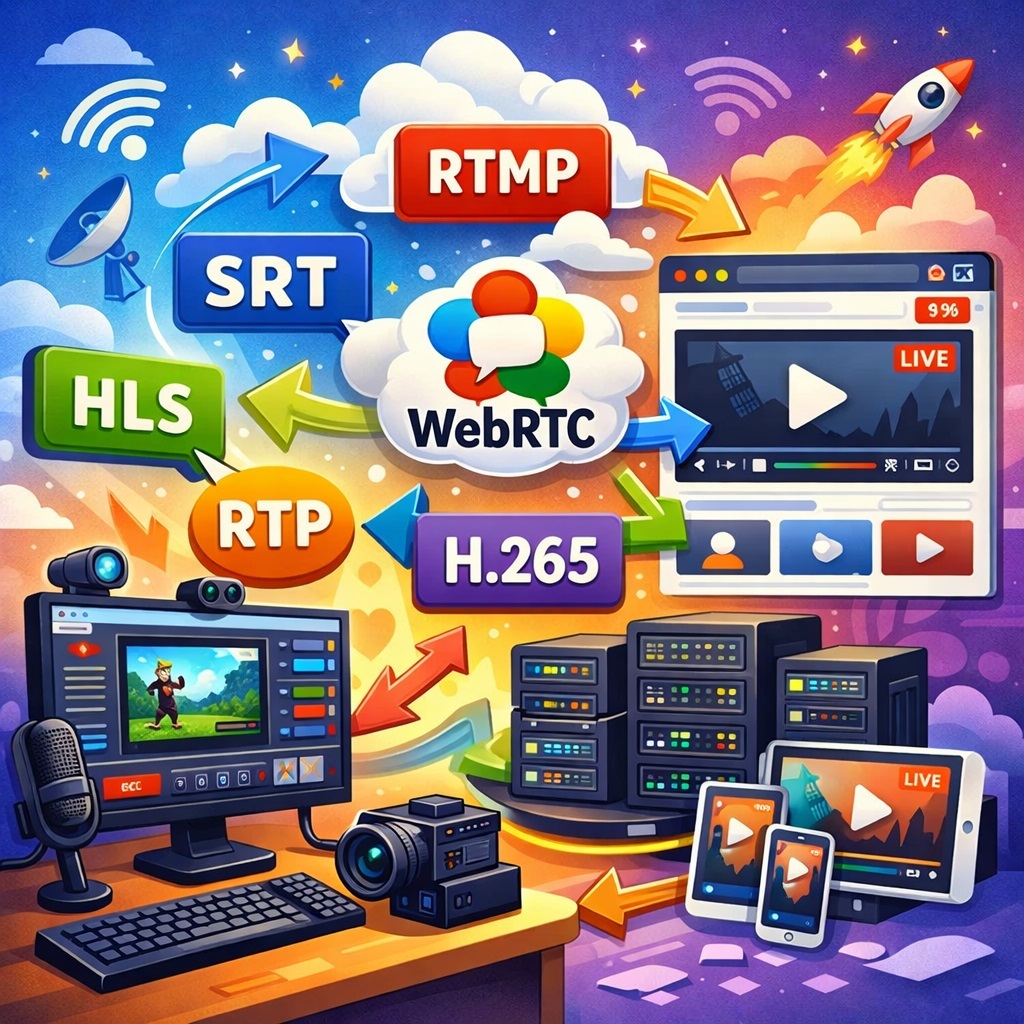
When people talk about sending video to a website, they often mix several different tasks together. The first task is how the application sends the stream to the server. The second is what the server does with that stream afterward. The third is how the viewer finally receives the video in the player. Until these parts are separated, the architecture remains confusing, and choosing a protocol turns into a matter of taste. In practice, each layer has its own role, and a good result usually appears not where a single universal protocol is forced onto everything, but where each protocol is used for the job it was actually designed to do.
Where to start correctly
You should start not with the web player and not with a nice domain name, but with the source. You need to understand in what form the desktop application will send the stream outward. The usual options here are RTP, RTSP, RTMP, SRT, HLS, and WebRTC. However, they serve different purposes. Some are better for publishing a stream to a server, others are better for delivery to a website, and some are better suited for internal communication between devices.
That leads to the main principle. A publishing protocol and a viewing protocol are not the same thing. What works well for sending a stream from an application to a server may be a poor choice for a browser. And the opposite is also true. That is why a proper architecture is almost always built in two stages. First, the application publishes the stream to a media server. Then the media server delivers it to viewers in the format that is convenient for the website, the mobile client, or the operator interface.
The general model
In the healthiest architecture there are three roles. The video source, meaning the desktop application or a separate agent. The media server, which receives the stream, repackages or transcodes it if needed, and distributes it further. And the application server, which is responsible for users, permissions, interface logic, and selecting the correct stream.
In this model, the application should not pretend to be a web server, and the web server should not accept an incoming media stream unless there is a very good reason. Each side does its own work. The application sends video. The media server handles media. The main server handles system logic and access control.
RTP and RTSP: where they are useful and where the problems begin
RTP is useful as a transport inside professional environments. It is lightweight, familiar to video devices, and has long been used in real-time systems. However, by itself it is not a very good answer to the question of how to display video on a website. RTP is inconvenient for browsers, fragile across the public Internet, and for large-scale viewing it requires an intermediate layer.
RTSP has historically been convenient for cameras and recorders. It allows a client to control the stream and retrieve video from a device. But for websites it has an old problem. Browsers do not play it directly, operation through NAT and provider filtering can be unstable, and when someone tries to bring RTSP straight into a web player, an additional layer of workarounds almost always appears. That is why RTSP is good as an internal protocol between a camera and a server, but it is rarely a good final delivery format for a website.
If you want the short version, RTSP is convenient for devices but inconvenient for large-scale web viewing. It is like a very good warehouse forklift. Excellent in a warehouse, not ideal for a walk through the city center.
Why RTMP is still alive
RTMP remains a convenient input protocol for stream publishing. It is simple, understandable, built around a stable pattern of server plus application plus stream key, and it works well for a desktop client that only needs to send video to a server. It is usually easier to configure than newer alternatives, and it is not difficult to integrate into an application or an external process.
The weak point of RTMP is not at the input side, but at the output side. It is not the best format for a web player. Therefore RTMP is best used as a publishing protocol to a server, while the server should convert the stream into HLS, WebRTC, or another playback format.
Why SRT is often better than RTMP
SRT is useful when the network between the application and the server is less than ideal. If the stream travels not through a neat local network but through the Internet, remote sites, unstable links, and difficult provider conditions, SRT usually proves to be more reliable. It handles packet loss, jitter, and other real-world problems better.
This does not mean RTMP is bad. It means RTMP is simpler, while SRT is more resilient. If you need the most straightforward scheme and the network is good, RTMP is perfectly fine. If the network is difficult, long, or unstable, SRT usually looks more mature. For modern systems, it is a very strong option specifically as the input transport toward the server.
Why HLS is good for viewing but inconvenient as an input from an application
HLS is strongest as a way to deliver video to the viewer. It works over ordinary HTTP, cooperates well with web infrastructure, proxy servers, caches, and scaling. That is exactly why HLS is excellent for websites.
But if you force a desktop application to stream directly in HLS, life quickly becomes more complicated. The application has to do much more than encode video. It has to split it into segments, maintain a playlist, remove old chunks, publish many files, and make sure all of that is updated in sync. In other words, the application starts doing part of a media server's job. That can be done, but architecturally it is usually worse than simply sending the stream to a server over RTMP or SRT and letting the server handle segmentation.
That is why HLS should almost always be treated as an output format for viewers, not as an input format from an application.
Where WebRTC is needed
WebRTC is useful when low latency matters most. If an operator needs to see a nearly live picture without a long delay, WebRTC can provide a very pleasant result. But that benefit is not free. It is heavier for the server, more complex on the networking side, and scales worse to a very large number of viewers than HLS.
That is exactly why WebRTC is good for operator interfaces, talking scenarios, interactive tasks, and fast visual feedback. HLS is usually better for a large number of viewers, for publishing on a website, and for a calmer server load.
Direct HLS from an application: when it makes sense
That architecture can be built. The application encodes the stream, splits it into segments, and places the playlist and files into a folder or onto remote HTTP storage. The website then reads that playlist and displays the stream in a player.
That approach has one advantage. You can avoid a separate server for stream publishing.
It has more disadvantages. Higher load on the application. More file operations. More risk during network failures. More complicated maintenance. Poorer manageability as the number of streams grows. That is why it is interesting as an engineering experiment or a narrow special case, but as the basis for a serious system it usually loses to a classic approach with a dedicated media server.
The H.265 problem in a web player
H.265 is attractive as a codec from the perspective of quality and bandwidth savings. Where it is supported, it can provide a very good result. But in the world of web players, everything comes down to compatibility. One browser understands it better, another worse, and a third behaves like a guest at a wedding who does not know either the bride or the groom.
That is why H.265 can be a good internal format for delivery or storage, but it is not always a good universal format for a website. For the broadest possible web player compatibility, H.264 remains the safer choice. It is less exciting, but it creates fewer surprises.
If you want to show the stream through WebRTC, the problem becomes even more visible. Support for H.265 in the browser world is far less uniform than one would like. In places where HLS can still work, WebRTC often pushes you back toward H.264.
Why H.265 at the input can become very expensive
If the application sends the stream in H.265 but the viewer on the website must receive H.264, then somewhere along the path transcoding will be required. That is no longer a lightweight repackaging operation and no longer a simple container change. It is full video decoding followed by full re-encoding.
With one or two streams, people may shrug and pretend everything is fine. With dozens of streams, the server turns into an argument between the processor, memory, and common sense. With one hundred streams, without hardware acceleration, this is no longer an architecture question but an endurance sport.
That leads to a practical conclusion. If the final target is a web player, and especially WebRTC, it is usually better to convert the stream to H.264 as early as possible than to drag H.265 all the way to the server and force the server to transcode it at scale. Otherwise the media server stops behaving like a transport node and starts behaving like a furnace.
Comparing the main architectures
Application -> RTMP -> media server -> HLS -> website
This is the classic and understandable option. The application publishes the stream simply and stably. The server turns it into HLS. The website shows the stream through an ordinary web player. This architecture is well suited for many viewers and does not require exotic solutions. The main disadvantage is that latency is higher than with WebRTC. But in terms of reliability and scale, it is one of the calmest options.
Application -> SRT -> media server -> HLS -> website
This is a very strong option if the application and the server are in different networks or communicate over the Internet. At the input, you get a more reliable transport. At the output, you get a convenient and scalable viewing format. For video surveillance, where resilience matters and not only elegant theory, this path looks very sensible.
Application -> RTMP -> media server -> WebRTC -> website
This works where minimal delay is required and the input network is relatively simple. The advantages are fairly direct publishing and very fast viewing. The disadvantages are a heavier output side and worse behavior when the number of viewers grows.
Application -> SRT -> media server -> WebRTC -> website
This is the most interesting variant for low latency under real network conditions. At the input, you get a resilient transport. At the output, you get a very fast picture. The disadvantages are the usual ones for WebRTC: higher load, more difficult scaling, and greater sensitivity to codec and server resource choices.
Application -> HLS -> HTTP storage -> website
This architecture is possible, but it is usually interesting either as an experiment or as a very narrow special case. The application takes on too much work. For long-term life, this approach usually loses to more classical variants.
Comparing the load
If you look only at the input from the application, RTMP and SRT are usually lighter than HLS. RTMP and SRT send one continuous stream. HLS as an input path forces the application or an intermediate node to constantly create and publish segments, update the playlist, and perform many file and network operations.
If you look at the output toward the viewer, HLS is usually lighter for the server than WebRTC. HLS scales better and behaves more calmly when there are many viewers. WebRTC gives better latency, but the output side is usually more expensive in terms of server resources.
If you add H.265 to H.264 transcoding, everything becomes heavier regardless of the chosen transport. At that point the main question is no longer "RTMP or SRT" but "who will decode and encode again, and on what hardware."
What changes if the viewer watches not in a web player but in a mobile application
This is where life changes completely. If the viewer watches video in a native mobile application, some browser limitations simply disappear. There is more freedom in choosing codecs and protocols. A native application can make better use of system decoders and does not live inside the same constraints as a web player.
That means that for a mobile client it is sometimes possible to avoid part of the server-side transcoding that would be mandatory for a website. For example, an H.265 stream may be acceptable or even convenient for a native mobile application, while a web player would require H.264. For the server, that difference is enormous. Where a web scenario would force a heavy transcoding step, a mobile client can sometimes use hardware decoding and avoid server transcoding altogether.
But this is not a reason to become reckless. If you try to bring direct RTSP or RTP into a mobile application over the Internet, the old network problems do not disappear. That is why an intermediate server is still usually useful. The difference is that for a mobile client you can often design a lighter and less painful scheme than for a browser.
What to choose in practice
If you need a universal and calm option for a website, the most common best choice is RTMP or SRT at the input and HLS at the output. If the network is good and you want something simpler, RTMP is quite suitable. If the network is difficult, remote, or unstable, SRT is usually better. For websites, HLS remains the most reasonable output format.
If you need the lowest possible latency, it is better to look toward SRT or RTMP at the input and WebRTC at the output. But you should understand in advance that the server side becomes heavier and the demands on hardware and networking increase.
If the input stream is H.265 and the output must work in a universal web player, then you should think very carefully about where and how transcoding will occur. If you can avoid large-scale server-side transcoding, it is better to avoid it. If you cannot, then the project must be sized as a serious media workload, not as a simple web service.
If you have your own mobile application, it should be treated separately. Not as a younger sibling of the web player, but as an independent client with different capabilities. That often allows the architecture to become lighter, cheaper, and more reliable.
Final thoughts
There is no single ideal protocol for every task. RTP and RTSP are convenient inside the world of devices, but inconvenient as a final answer for a website. RTMP is simple and good as an input protocol. SRT is more reliable on difficult networks and is often better for sending video from an application to a server. HLS remains the calmest format for large-scale viewing on a website. WebRTC wins where low latency matters. H.265 is a strong codec, but in the web world it often leads to compatibility and transcoding questions. And the presence of a native mobile client can greatly change the balance in favor of a lighter server-side design.
A good architecture starts not with affection for one favorite protocol, but with an honest answer to three questions. How does the application publish the stream. What must the server do with that stream. And who exactly will watch it. Once those three questions are placed in order, the choice becomes much simpler, and the whole system stops looking like a mysterious box that nobody wants to open because it may never be assembled again.