
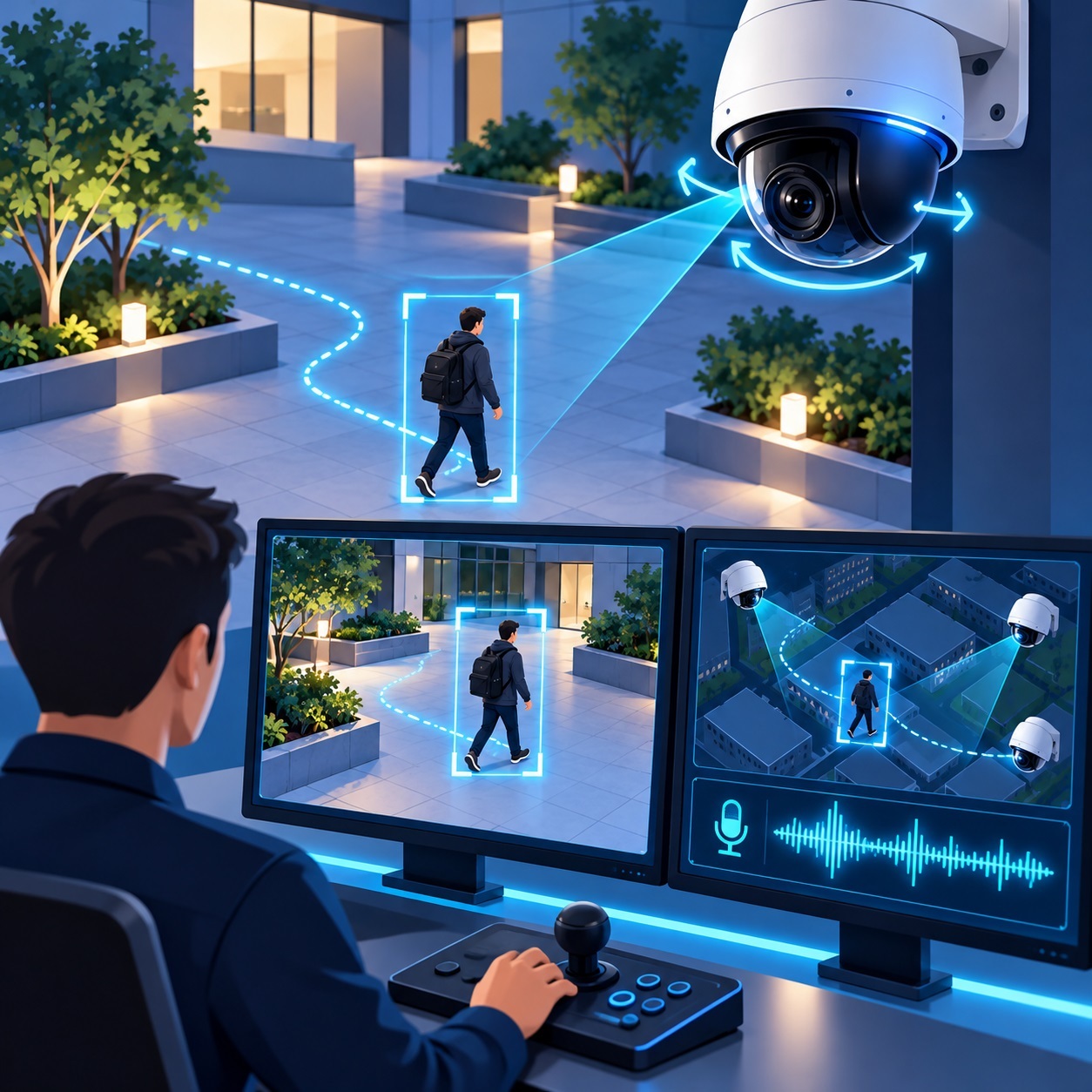
Security cameras have been able to detect people, recognize vehicles, and read license plates for years. But once a target walks out of frame, even the smartest AI has nothing left to analyze. SmartVision 6.7 addresses that limitation with PTZ Auto Tracking, allowing the software to automatically pan and tilt cameras to follow moving objects. The update also introduces simultaneous control of multiple PTZ cameras, automatic calibration, and integrated audio recording in MP4 files.
A Camera That Keeps Its Eyes on the Target
Traditional security cameras monitor a fixed area. Even with advanced AI analytics, they can only analyze what's happening within their field of view. Pan-tilt-zoom (PTZ) cameras offer more flexibility, but they typically rely on a security operator or a predefined patrol route to change direction.
SmartVision 6.7 takes a different approach: AI-powered video analytics decide where the camera should point.
The new PTZ Auto Tracking feature works alongside motion detection and object detection. When SmartVision identifies a moving target, it calculates the object's position and sends commands to the camera's PTZ mechanism, automatically adjusting its horizontal and vertical orientation.
Imagine someone entering a warehouse property and walking along the side of a building. Instead of capturing a few seconds of footage near the entrance, the camera can continue following the person as they move across the monitored area.
The security operator can focus on evaluating the situation rather than constantly steering a camera like an air traffic controller.
Of course, tracking still depends on the camera's capabilities and the surrounding environment. If someone disappears behind a building or moves beyond the camera's range, tracking may stop. AI still can't see through walls, which is probably for the best.
Why Following a Moving Target Is Harder Than It Sounds
Automatic camera tracking involves more than simply turning a lens toward a moving object.
When a PTZ camera rotates, the entire scene shifts within the frame, including stationary objects. Meanwhile, there's an unavoidable delay between detecting a target, transmitting a command, and the camera physically responding.
Without accounting for those changes, the camera can end up chasing coordinates that are already outdated, constantly making unnecessary adjustments. At that point, surveillance starts looking more like a game of catch-up.
SmartVision 6.7 introduces a redesigned mechanism for processing object coordinates and coordinating them with camera position stabilization. The updated tracking logic accounts for camera movement when interpreting detections, helping reduce unnecessary corrections.
The release also adds automatic PTZ calibration.
When SmartVision starts or a camera is activated, the software performs the necessary movements to calibrate the PTZ mechanism. The resulting parameters are stored in the application's updated database.
This helps account for differences in rotation speed, command response times, and positioning behavior across camera manufacturers.
So if a camera suddenly turns from side to side during startup, there's no need to assume it's spotted something suspicious. It may simply be checking its own mechanics.
Multiple Cameras, Multiple Targets
SmartVision 6.7 supports simultaneous control of multiple PTZ cameras, allowing different areas of a property to be monitored independently.
At a logistics facility, for example, one camera might follow a truck entering the property, another could track activity near the loading docks, and a third could monitor someone walking along the perimeter fence.
To support this functionality, the developers redesigned the mechanisms responsible for transmitting detection data and controlling PTZ camera positions.
There is, however, an important distinction: simultaneous PTZ control is not the same as cross-camera tracking.
Cross-camera tracking allows a surveillance system to recognize the same person or vehicle across multiple video feeds and continue following that target as it moves between cameras. That requires additional object-matching algorithms and is not part of this update.
Where Automatic Tracking Actually Makes Sense
PTZ Auto Tracking is particularly useful across large properties where people and vehicles move between areas that would otherwise require constant manual camera control.
At warehouses and distribution centers, PTZ cameras can follow trucks, forklifts, and people moving through loading areas and outdoor storage yards.
In parking lots and garages, automatic tracking can capture longer sequences of vehicle and pedestrian movement, providing useful footage when investigating collisions, property damage, or unauthorized access.
On construction sites, the technology can help monitor equipment movement and activity around material storage areas, especially after business hours.
At industrial facilities, PTZ tracking can assist with perimeter monitoring and observation of access roads and restricted operational areas.
For residential security, a single PTZ camera may cover a driveway, front gate, and portions of a yard, following visitors as they move through the property.
And at remote infrastructure sites, such as pumping stations, utility installations, or unmanned storage facilities, automatic tracking can provide a more complete record of an event without requiring someone to actively operate the camera.
Crowded public spaces present a tougher challenge. When dozens of people appear in the same frame, tracking performance depends heavily on target selection, object occlusion, and the detection system's capabilities.
AI Speed Meets Mechanical Reality
Tracking accuracy depends on more than how well a neural network recognizes objects. One critical factor is how frequently the detection system updates their coordinates.
At 2 frames per second (FPS), the detector produces an update every 500 milliseconds. At 5 FPS, that interval drops to 200 milliseconds, and at 10 FPS, to just 100 milliseconds.
Consider someone walking at approximately 3.4 mph (1.5 meters per second). In half a second, that person travels roughly 2.5 feet (75 centimeters). That's enough movement to matter when a camera is trying to keep the subject centered.
A GPU can accelerate neural network processing, especially when multiple video streams are being analyzed simultaneously. But faster detection doesn't automatically mean better tracking.
The camera itself still has to execute the commands.
If the PTZ mechanism responds slowly, even a high-performance AI detector won't solve the problem. A neural network can process frames at remarkable speed, but it can't persuade a motor to ignore the laws of physics.
Network latency, command transmission delays, camera rotation speed, and detector settings all influence the final result.
There's also a less glamorous issue: camera permissions.
Some PTZ models, including certain Dahua cameras, may restrict PTZ commands even when connected using an administrator account through specific interfaces.
In those cases, creating a dedicated camera user account with the required PTZ permissions may resolve the problem.
Before enabling automatic tracking, it's worth confirming that the camera responds correctly to manual PTZ commands from SmartVision. Otherwise, the software may detect every moving object perfectly while the camera stubbornly refuses to budge.
Audio and Video Finally Share the Same MP4 File
Another significant change in SmartVision 6.7 concerns audio recording.
When using reader = default, the software can now save audio and video together in a single MP4 file.
Previously, audio was recorded separately in MP3 format. That approach remains useful when audio-only recording is required, but it can complicate conventional surveillance workflows.
Managing separate audio and video files means keeping track of both during playback, copying, and archiving.
With MP4, the audio and video streams can be stored in one container, simplifying file management and the review of recorded events.
Audio can also provide valuable context that video alone may miss.
At an industrial site, for example, a microphone might capture an unusual mechanical noise or a sudden change in equipment operation. At an access control point, audio may provide additional context when investigating an incident, subject to applicable recording and privacy laws.
Sometimes a microphone tells you more than a camera, particularly when the lights are off.
Future SmartVision releases are expected to support disabling video recording while continuing to save audio directly into an MP4 container. This would allow the software to use a consistent file format for both audiovisual and audio-only archives.
Should PTZ Cameras Replace Fixed Cameras?
Not necessarily. In many installations, replacing fixed cameras entirely would actually make security coverage worse.
A PTZ camera can follow a moving target, but while it's pointing in one direction, it isn't watching another.
If the camera is tracking someone near the entrance, activity on the opposite side of the property could go unnoticed.
A more practical setup combines both types of cameras.
Fixed cameras provide continuous coverage of entrances, access roads, and critical areas, while PTZ cameras handle detailed tracking within their operating range.
This hybrid approach offers the benefits of automatic tracking without sacrificing the consistent visibility provided by fixed surveillance cameras.
After all, even a sophisticated PTZ camera can't watch every direction at once.
What's Coming Next
The SmartVision development team is also working on several improvements planned for future releases.
One area of development is customizable multi-monitor camera layouts, allowing users to distribute video feeds across multiple displays. This could be particularly useful in security operations centers, control rooms, and large monitoring installations.
The developers also plan to optimize application startup times, an important consideration for systems managing large numbers of IP cameras.
Additional AI models are on the roadmap as well, with the goal of expanding object detection and classification capabilities.
These features are planned for future versions and are not included in SmartVision 6.7.
From Passive Surveillance to Active Tracking
The most meaningful change in SmartVision 6.7 is the shift from simply analyzing video to automatically controlling where a camera looks.
Instead of merely reporting that someone or something has entered the frame, SmartVision can now attempt to follow that object as it moves through the monitored area.
How effectively it does so depends on AI processing speed, PTZ camera performance, network conditions, and the complexity of the scene.
Automatic calibration, multi-camera control, and integrated MP4 audio recording round out the update with improvements aimed at everyday surveillance operations.
Security operators aren't going anywhere, but they now have one less repetitive task to deal with.
And if a camera can keep an eye on an empty parking lot without constant supervision, that's probably a better use of everyone's time.