

In SmartVision 5.7, the ability to send event notifications to Telegram has been added. Camera events can now be delivered directly to the messenger. At the same time, the system includes settings that allow limiting the number of notifications to avoid excessive message flow.
A Telegram connection panel has been added to the general settings. To enable the feature, activate the “Use Telegram for events” option, enter your phone number, and input the verification code received in Telegram. After connection, a group named SmartVision.dev is automatically created where notifications will be sent.
A Telegram connection panel has been added to the general settings. To enable the feature, activate the “Use Telegram for events” option, enter your phone number, and input the verification code received in Telegram. After connection, a group named SmartVision.dev is automatically created where notifications will be sent.
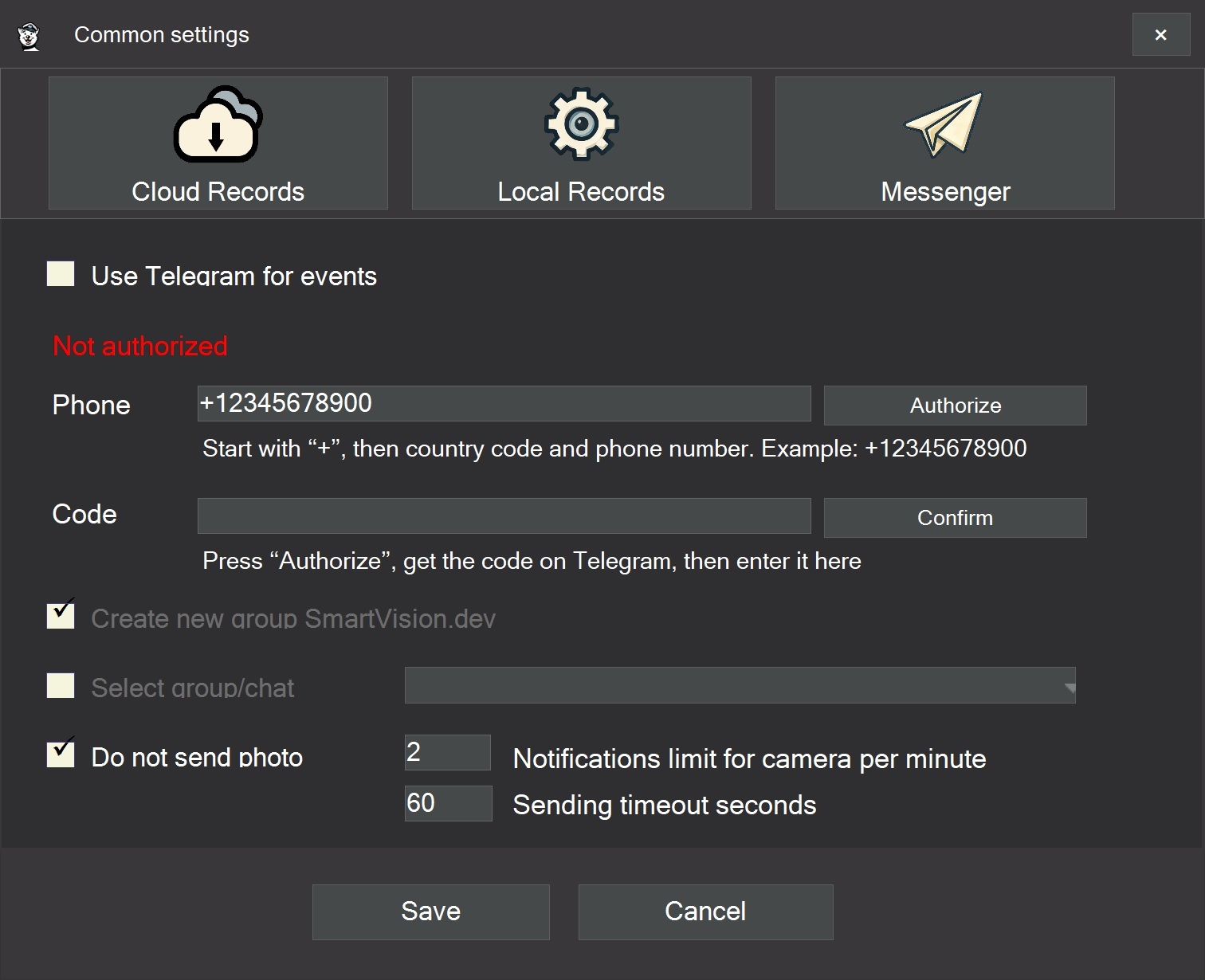
To control the number of messages, several sending parameters are available. You can set a limit of no more than N notifications per minute for each camera. Even if the detector registers a large number of triggers, only messages within the configured limit will be sent to Telegram.
By default, the “Do not send photos” option is enabled, which helps reduce the amount of transmitted data. Image sending can be enabled if needed. A message sending timeout is also used, with a default value of 60 seconds, after which sending is temporarily paused.
When the instant notification option is enabled, the message is sent immediately after the event is detected, without waiting for the video event recording to finish.
Messages are processed through a queue. Newer events from each camera receive higher priority. All cameras have equal priority, but within a single camera older events may be removed from the queue if more than two accumulate.
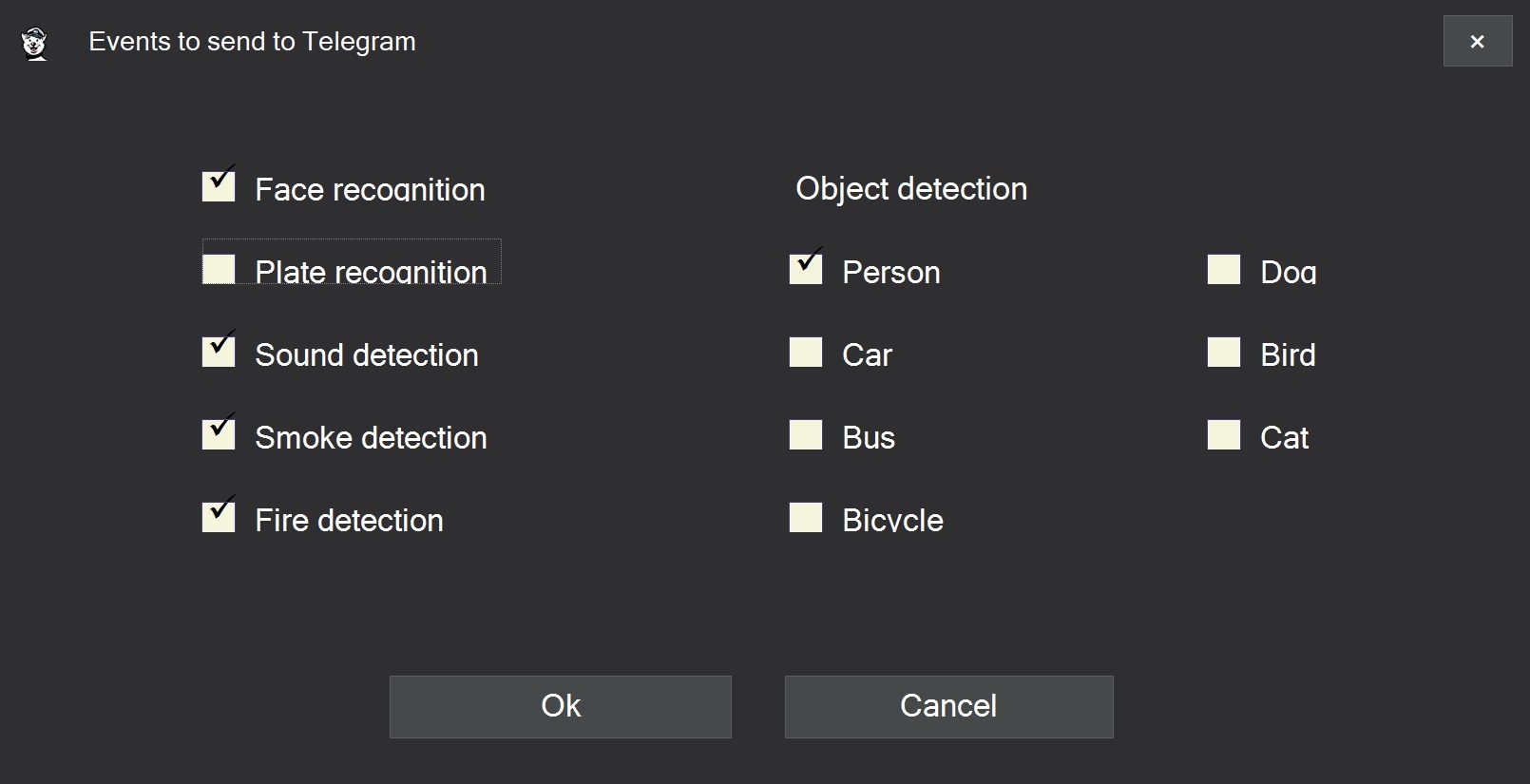
In the Cloud tab of the camera settings, filters for event types have been added. You can select which detected objects should trigger notifications. For example, you may choose to receive alerts only for a person or a car while ignoring animals.
By default, the “Do not send photos” option is enabled, which helps reduce the amount of transmitted data. Image sending can be enabled if needed. A message sending timeout is also used, with a default value of 60 seconds, after which sending is temporarily paused.
When the instant notification option is enabled, the message is sent immediately after the event is detected, without waiting for the video event recording to finish.
Messages are processed through a queue. Newer events from each camera receive higher priority. All cameras have equal priority, but within a single camera older events may be removed from the queue if more than two accumulate.
In the Cloud tab of the camera settings, filters for event types have been added. You can select which detected objects should trigger notifications. For example, you may choose to receive alerts only for a person or a car while ignoring animals.
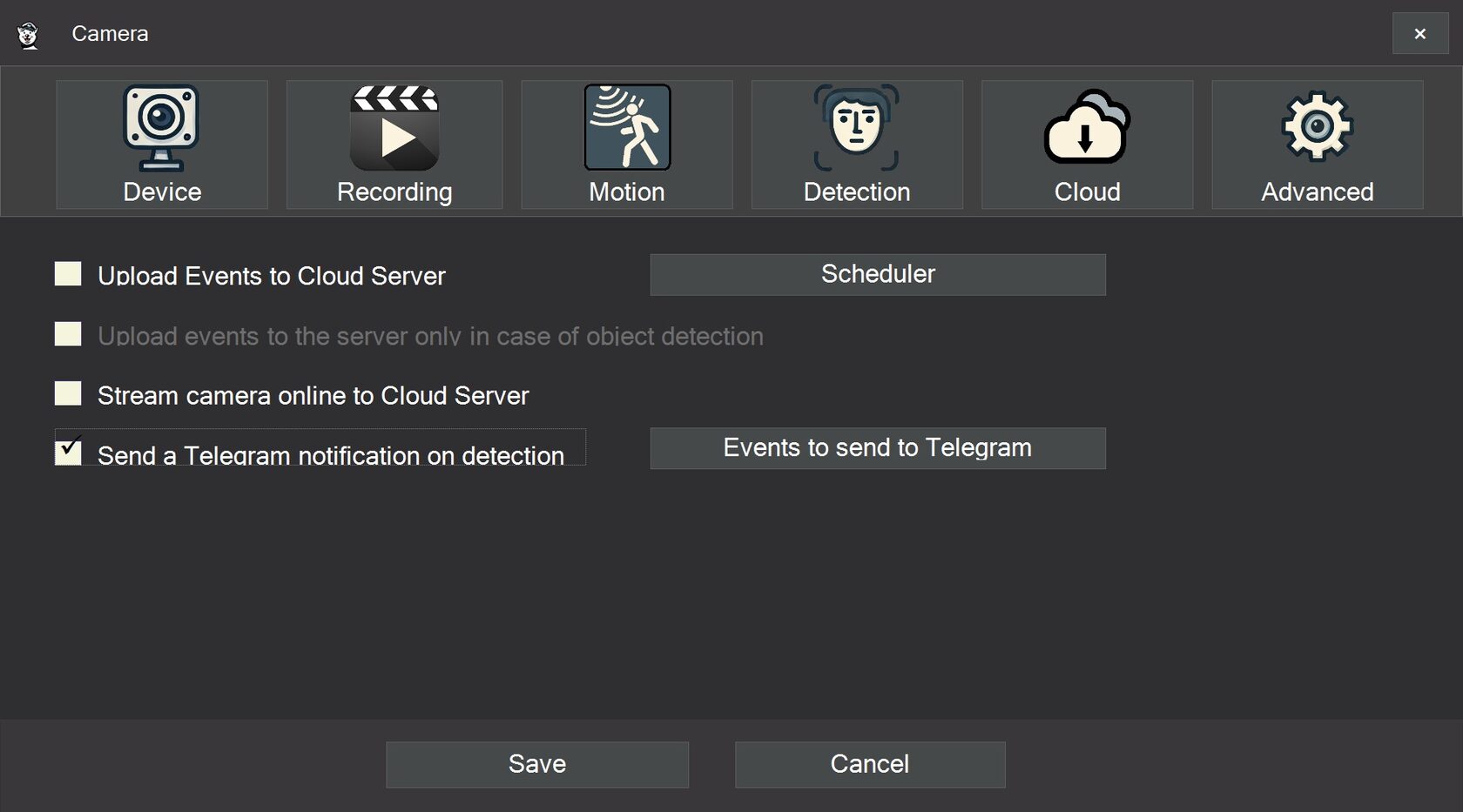
Notifications are generated based on detected object types. These include person, dog, car, fire, smoke, sound, and other categories. Events can also be triggered by recognition of specific license plates or specific faces from the database.
As a result, in SmartVision 5.7, Telegram can be used as an additional channel for receiving surveillance system event notifications.